
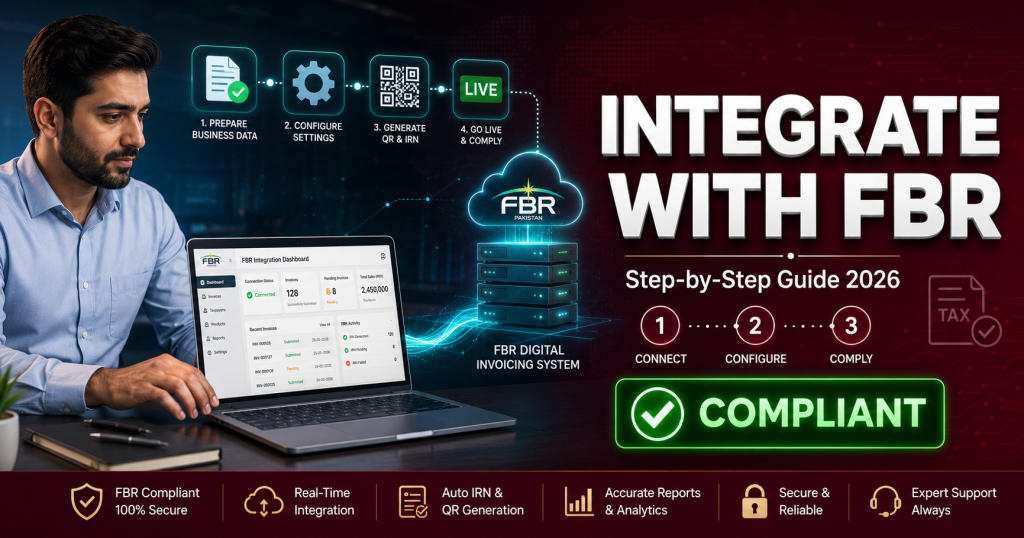
Getting your business integrated with FBR’s digital invoicing system can feel technical and confusing — but it doesn’t have to be. This step-by-step guide walks you through the entire process, from registration to going live, in plain language. Follow these steps and your business will be issuing FBR-compliant invoices with QR codes, reported in real time.
What does “integrating with FBR” actually mean?
Integrating with FBR means connecting your billing or POS system to FBR’s central computerised system, so that every invoice you issue is transmitted to FBR in real time and carries a unique FBR invoice number and a QR code. This is done through a licensed integrator or PRAL. Once integrated, your sales are automatically documented and reported — no manual submission needed. Below is exactly how to get there.
Key takeaways
- 7 clear steps: From FBR registration to live invoicing.
- Sandbox first: Always test in the sandbox before going live.
- Licensed integrator: Integration happens through a licensed integrator or PRAL.
- No FBR fee: FBR charges nothing for the system; PRAL integration is free.
- Right software makes it easy: FBR-ready software handles the technical parts for you.
Before you start: what you’ll need
Getting a few things ready in advance makes the whole process much smoother. Before you begin, make sure you have:
- An active NTN (National Tax Number) and sales tax registration.
- FBR IRIS portal login credentials.
- Business details — outlet address, business type, and bank information.
- FBR-ready software — a POS or ERP that supports digital invoicing.
Step-by-step: how to integrate with FBR
Here is the complete process, broken into simple steps. Follow them in order.
- Register / log in on FBR IRISGo to the FBR IRIS portal (iris.fbr.gov.pk) and log in with your NTN or CNIC. If you’re not registered for sales tax yet, complete that registration first, as digital invoicing applies to sales-tax-registered businesses.
- Confirm you’re in a notified categoryCheck whether your business type is required to integrate under the current FBR notifications. Most retailers, wholesalers, distributors, restaurants, and many service providers now fall in scope.
- Choose FBR-ready softwareSelect a POS or ERP system that supports FBR digital invoicing — meaning it can generate unique invoice numbers, QR codes, and transmit data in real time. This is the single most important decision, because the right software does the technical heavy lifting for you.
- Connect through a licensed integrator or PRALYour software connects to FBR’s system through a licensed integrator or PRAL. You’ll receive API credentials (a token) that link your system to FBR. FBR charges no fee for this, and PRAL provides integration free of cost.
- Test in the sandbox environmentBefore issuing real invoices, run test invoices in FBR’s sandbox (testing) environment. This lets you catch errors in tax rates, item codes, or formatting without affecting live data. Never skip this step — it prevents costly mistakes later.
- Get production credentials and go liveOnce your sandbox tests pass, request production credentials. Switch your system to live mode and issue a real test invoice to confirm the QR code and FBR invoice number appear correctly.
- Verify and train your teamScan the QR code on a live invoice using the FBR Tax Asaan app to confirm it verifies. Then train your billing staff on the new flow, so day-to-day invoicing runs smoothly.
Tip: The sandbox stage is where most integration problems show up — wrong tax rates, missing fields, or formatting issues. Testing thoroughly here means a smooth, error-free go-live.
Common integration mistakes to avoid
Businesses that rush integration often run into the same avoidable problems. Watch out for these:
| Mistake | What happens | How to avoid |
|---|---|---|
| Skipping the sandbox | Live invoices fail or contain errors | Always test first |
| Wrong tax rates | Invoices rejected by FBR | Verify rates before go-live |
| Incomplete fields | Non-compliant invoices | Use FBR-ready software |
| No offline handling | Billing stops during outages | Pick software with offline mode |
| Untrained staff | Errors at the counter | Train your team early |
Reality check: Integration isn’t a one-time technical task you can ignore afterwards. Your system must keep transmitting correctly every day. Choosing reliable, FBR-ready software from the start saves you from constant troubleshooting later.
How long does FBR integration take?
With the right software, integration can be completed in a matter of days rather than weeks. The registration and category check are quick; the software connection and sandbox testing take the most time, depending on how well your system is prepared. Businesses using software that’s already built for FBR digital invoicing move fastest, because the QR codes, invoice numbers, and real-time reporting are already handled.
How Switcher Techno can help
Switcher Techno offers cloud-based POS and accounting software built for Pakistani businesses, with full FBR digital invoicing integration handled for you — unique invoice numbers, QR codes, real-time reporting, and offline sync all built in. We guide you through registration, sandbox testing, and go-live, so you become FBR-compliant without the technical headache. Whether you run a shop, restaurant, or distribution business, our POS software connects billing, inventory, and accounting in one place. Still on spreadsheets? See why businesses are switching from Excel to cloud accounting in 2026.
Want a smooth FBR integration?
Let us handle the technical steps — registration, testing, and go-live — so you stay compliant with zero hassle. Book a free demo today.
Book a Free DemoFrequently Asked Questions (FAQs)
How do I integrate my business with FBR?
Register or log in on FBR IRIS, confirm your business is in a notified category, choose FBR-ready software, connect through a licensed integrator or PRAL, test in the sandbox, get production credentials, go live, and verify a live invoice’s QR code. FBR-ready software handles most of the technical work.
Is there a fee for FBR integration?
FBR charges no fee for the system itself, and PRAL provides integration free of cost. Your only real cost is the POS or ERP software that connects your billing to FBR.
What is the FBR sandbox?
The sandbox is FBR’s testing environment where you send trial invoices before going live. It lets you catch errors in tax rates, item codes, or formatting without affecting real data. Testing here is essential for a smooth go-live.
How long does integration take?
With FBR-ready software, integration can often be completed in a few days. Registration and category checks are quick; software connection and sandbox testing take the most time, depending on your system’s readiness.
Do I need technical knowledge to integrate?
Not if you use software built for FBR digital invoicing. The software handles the API connection, QR codes, and real-time reporting, and a good provider guides you through registration, testing, and go-live.
Disclaimer: This article is for informational purposes only and should not be considered legal or tax advice. FBR rules, procedures, and requirements are subject to change. For your business’s specific obligations, please refer to the FBR’s official website (fbr.gov.pk) or consult a licensed tax advisor.
