
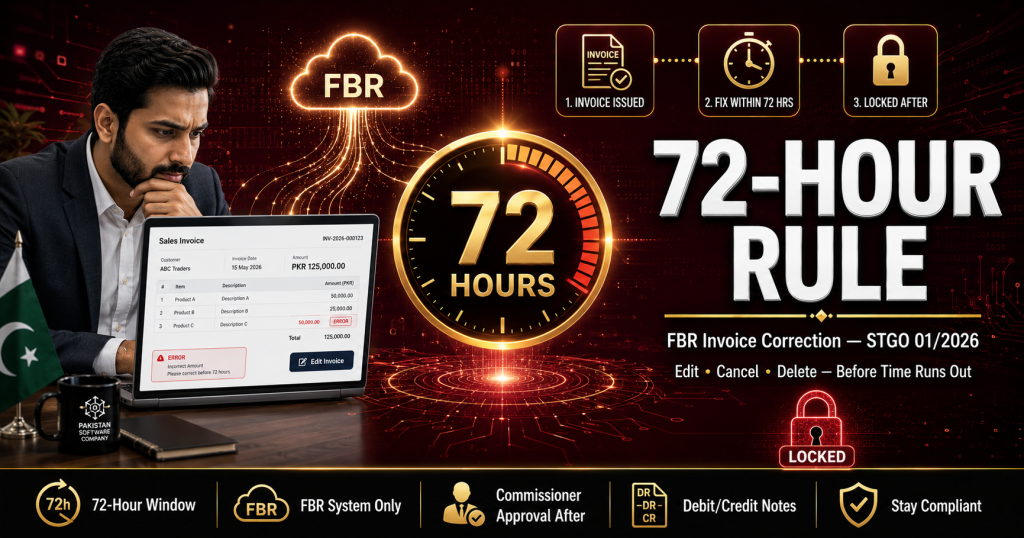
Made a mistake on a digital invoice? Under the FBR 72-hour invoice correction rule — introduced through Sales Tax General Order (STGO) No. 01 of 2026 — you can cancel, edit, or delete an electronic sales tax invoice only within 72 hours of issuance, and only through the FBR system. After that window closes, the invoice is locked, and any change needs prior approval from the Commissioner Inland Revenue. Here is how the rule works, what counts as a valid correction, and how to protect your business from getting stuck with wrong invoices.
Key Takeaways
- 72-hour window: Electronic sales tax invoices can be cancelled, amended, or deleted within 72 hours of issuance — directly through the FBR system.
- After 72 hours: The invoice is effectively locked. Corrections require prior approval from the Commissioner Inland Revenue.
- Legal basis: STGO No. 01 of 2026, issued under Sections 23(5) and 23(6) of the Sales Tax Act, 1990.
- Bonus clarification: The same order allows a registered person to engage more than one licensed integrator.
- Practical impact: Getting the invoice right at the point of sale is now more important than ever.
What is the FBR 72-hour invoice correction rule?
The FBR 72-hour invoice correction rule is a restriction on editing digital invoices after they are issued. Under STGO No. 01 of 2026, a valid electronic sales tax invoice may be cancelled, deleted, or edited only within 72 hours of its issuance, and only through FBR’s computerized system. Once the 72-hour window passes, no direct change is permitted — any correction requires prior approval from the concerned Commissioner Inland Revenue.
The purpose is simple: FBR wants transaction data locked shortly after issuance so that reported sales cannot be quietly adjusted later. It protects the integrity of real-time reporting — the foundation of the entire FBR digital invoicing system.
What is STGO No. 01 of 2026?
STGO (Sales Tax General Order) No. 01 of 2026 was issued by FBR under the title “Issuance of Electronic Sales Tax Invoices and Integration of Registered Persons.” It operates under Sections 23(5) and 23(6) of the Sales Tax Act, 1990, and clarifies how the mandatory e-invoicing regime — originally rolled out through SRO 1413(I)/2025 and the phased deadlines that followed — works in practice.
The order covers three key clarifications:
- All sales tax registered persons must issue digital invoices and report them to FBR in real time through licensed integrators.
- Invoice corrections are limited to the 72-hour window described above.
- Multiple licensed integrators are now permitted — a registered person can engage one or more licensed integrators as approved or notified by the Board, removing the earlier single-provider dependency.
What can you do within the 72 hours?
Within 72 hours of issuing an electronic invoice, you can correct genuine errors directly through the FBR system — no approval needed. Typical situations include:
- Wrong quantity, unit price, or total amount entered at the counter
- Incorrect buyer details (NTN/STRN typed incorrectly)
- Wrong item, HS code, or tax rate selected
- Duplicate invoice issued by mistake
- Sale cancelled by the customer right after billing
What happens after 72 hours?
After 72 hours, the invoice is locked in FBR’s system. You cannot edit, cancel, or delete it yourself. The only route is a formal request to the Commissioner Inland Revenue, who may approve the change subject to conditions set by FBR. In practice this means:
- Written justification for why the correction is needed
- Supporting documents proving the error was genuine
- Waiting time — approvals are not instant
- No guarantee of approval, especially for changes that reduce declared tax
72-hour rule at a glance
| Situation | Within 72 hours | After 72 hours |
|---|---|---|
| Cancel an invoice | Allowed — through FBR system | Commissioner IR approval required |
| Edit / amend invoice details | Allowed — through FBR system | Commissioner IR approval required |
| Delete a duplicate invoice | Allowed — through FBR system | Commissioner IR approval required |
| Approval needed? | No | Yes — prior approval mandatory |
| Where is it done? | FBR computerized system only | Formal request to Commissioner IR |
How to avoid invoice correction problems: 5 steps
- Get the invoice right at sourceTrain billing staff on correct item selection, tax rates, HS codes, and buyer NTN/STRN entry. With the correction window this tight, accuracy at the counter is your first line of defense.
- Review invoices dailyReconcile the day’s issued invoices against actual sales every evening. Any error caught same-day still has a comfortable window for correction.
- Fix errors immediately through the FBR systemDon’t wait. The moment an error is confirmed, cancel or amend the invoice through the proper FBR channel — never issue a manual “adjustment” outside the system.
- Use debit and credit notes correctlyFor genuine post-sale events like returns or discounts after the window closes, use the proper debit/credit note mechanism under the Sales Tax Rules instead of trying to alter the original invoice.
- Keep an error logDocument every correction — what went wrong, when it was fixed, and by whom. If you ever need Commissioner approval, this record supports your case.
Why does FBR restrict invoice corrections?
Pakistan’s e-invoicing system follows a clearance model — every invoice is validated by FBR at the time of sale and returns a unique FBR invoice number with a QR code. If businesses could freely edit invoices weeks later, real-time reporting would lose its meaning: sales could be understated after the fact, and input tax claims would never reconcile. The 72-hour rule keeps a short, practical window for honest mistakes while closing the door on retroactive manipulation.
This is part of a broader tightening across 2026 — from the July 2026 compliance deadline and penalties to the draft SRO 288(I)/2026 rules for service businesses. The direction is one-way: every sale documented, verified, and locked.
What does this mean for your billing software?
The 72-hour rule quietly raises the bar for the POS or ERP you use. Your system should be able to:
- Validate buyer details, tax rates, and HS codes before the invoice is submitted to FBR
- Flag and handle cancellations/amendments within the window through the proper FBR channel
- Generate proper debit and credit notes for post-window adjustments
- Keep a clean audit trail of every invoice and every correction
If your current setup can’t do this, you are one data-entry mistake away from a locked wrong invoice.
Get FBR-compliant invoicing done right
Switcher Techno provides FBR digital invoicing integration services across Pakistan — with an integration-ready POS or ERP that validates invoices before submission, handles corrections within the 72-hour window properly, and keeps a full audit trail. Stay compliant from the first invoice.
Book a Free DemoFrequently Asked Questions
Can I edit an FBR digital invoice after issuing it?
Yes, but only within 72 hours of issuance, and only through the FBR system. Under STGO No. 01 of 2026, invoices can be cancelled, amended, or deleted within this window without prior approval. After 72 hours, prior approval from the Commissioner Inland Revenue is required.
What is STGO No. 01 of 2026?
It is a Sales Tax General Order issued by FBR under Sections 23(5) and 23(6) of the Sales Tax Act, 1990. It clarifies the rules for issuing electronic sales tax invoices, limits invoice corrections to a 72-hour window, and allows registered persons to engage more than one licensed integrator.
How do I correct an invoice after the 72-hour window closes?
You must submit a formal request to the concerned Commissioner Inland Revenue with justification and supporting documents. Direct changes are no longer possible, and approval is subject to conditions set by FBR.
What if a customer returns goods after 72 hours?
Genuine post-sale events like returns or discounts should be handled through proper debit and credit notes under the Sales Tax Rules — not by altering the original invoice. Your invoicing software should support this mechanism.
Can I use more than one licensed integrator?
Yes. STGO No. 01 of 2026 allows a registered person to engage one or more licensed integrators as approved or notified by FBR, removing the earlier dependence on a single provider.
Does the 72-hour rule apply to all businesses?
It applies to all sales tax registered persons required to issue electronic invoices through FBR’s system — which, after the phased rollout, covers essentially every sales-tax-registered business in Pakistan.
Disclaimer: This article is for informational purposes only and should not be considered legal or tax advice. Always confirm current rules and procedures with the official FBR portal and a qualified tax advisor before acting.
