
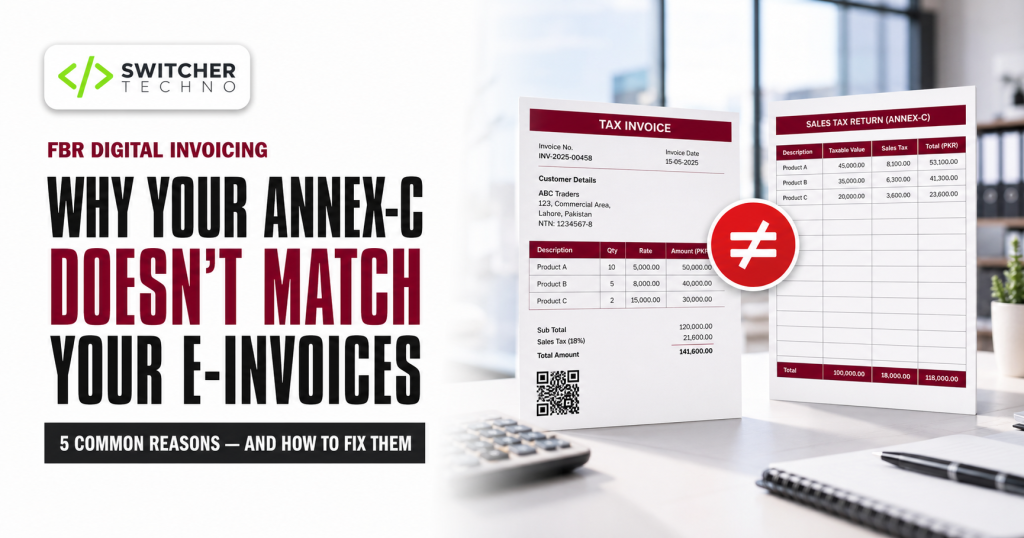
In short: Now that sales are reported to FBR in real time, your monthly sales tax return is expected to reconcile against the invoices already sitting in FBR’s system. Annexure-C should be a transcription of your transmitted e-invoices, not a separately assembled figure. When the two disagree, the cause is almost always one of five things — invoices that never transmitted, credit notes handled as edits, cash sales left out of the system, timing differences at month end, or buyer STRN errors. Because e-invoices lock after 72 hours, the fix has to happen during the month, not at filing time.
Before real-time reporting, the monthly sales tax return was an act of assembly. You pulled your sales register, prepared Annexure-C, uploaded it, and FBR saw your sales for the first time when you filed.
That relationship has reversed. FBR now sees every sale at the moment it happens. By the time you sit down to file, the tax authority already has a complete record of your month — and your return is being compared against it.
This changes what filing actually is. Done properly, preparing Annexure-C is now a reconciliation exercise, not a data entry exercise.
How digital invoicing and Annexure-C now connect
FBR’s own guidance is direct on this point: a digital invoice is required for all sales that are to be reported in Annexure-C of the sales tax return.
In other words, the e-invoice and the Annex-C line are meant to be two views of the same transaction. Every sale that appears in Annexure-C should already exist in FBR’s system as a transmitted invoice carrying an invoice number and QR code.
And your Annex-C becomes your buyer’s Annex-A
The chain does not end with you. Annexure-A — the purchase side — is auto-populated from the Annexure-C submitted by your suppliers. Your buyer does not type your invoice into their return; it appears there because you reported it, against their STRN.
This is why a mistake on your side becomes your customer’s problem. If you put the wrong STRN on an invoice, that sale lands in a stranger’s Annex-A and never reaches the buyer who actually needs to claim the input tax. They will call you, and the call will not be pleasant.
The five reasons your figures do not match
When a business tells us their Annex-C does not agree with their e-invoice data, it is nearly always one of these. In rough order of frequency.
1. Invoices that failed to transmit
An invoice was raised in your software, printed, handed to the customer — and never reached FBR. A connectivity drop, an expired token, a validation rejection nobody noticed.
The sale is in your books. It is not in FBR’s system. Your Annex-C figure will be higher than what FBR holds, and you cannot simply file the difference, because the underlying invoice does not exist on their side.
How to catch it: your billing system must show transmission status per invoice — sent, accepted, or failed. If failures are invisible in your software, you will find them at month end when it is too late to fix them cleanly.
2. Returns and discounts handled as invoice edits
A customer returns goods. Someone opens the original invoice and reduces the quantity.
This is the single most common structural error we see. Post-sale events like returns, rejections and discounts are meant to be handled through debit and credit notes under the Sales Tax Rules, reported in the relevant annexure — not by rewriting the original invoice.
Under Sales Tax General Order No. 01 of 2026, an e-invoice can only be cancelled, deleted or edited within 72 hours of issuance in any case. So a return three weeks later cannot be handled by editing at all — the invoice is locked. We cover that restriction in detail in our guide to the FBR 72-hour invoice correction rule.
The correct approach: issue a credit note. The original invoice stands, the credit note records the reversal, and both appear in the return where they belong.
3. Cash and counter sales outside the system
A walk-in customer pays cash. Staff write a manual slip because “it is only a small sale” or the system was slow. That sale never becomes an e-invoice.
At month end you have two choices, and both are bad: include it in Annex-C without a corresponding e-invoice, or leave it out and misstate your turnover.
The fix is operational, not technical. Every sale goes through the system, without exception. If your billing process has a manual escape hatch, staff will use it under pressure, and you will discover it at filing time.
4. Timing differences at month end
An invoice raised at 11:40pm on the 31st. A sale entered in your accounts on the last day but transmitted after midnight. A credit note dated in one period and reported in another.
These are small in number and disproportionately painful, because they produce a difference you cannot explain without going transaction by transaction.
How to handle it: establish one cut-off convention and apply it consistently, then reconcile the boundary deliberately each month rather than assuming it is clean.
5. Buyer STRN and NTN errors
Your total may be right while individual lines are wrong. The invoice transmitted, the value is correct, but the buyer’s registration number was mistyped.
Your Annex-C total will reconcile. Your customer’s Annex-A will not show the invoice. From their perspective you have failed to report a sale to them, and their input tax claim is stuck.
Prevention: buyer tax details belong in a customer master record, verified once at onboarding, and selected at billing — never retyped at the counter.
A monthly reconciliation routine that works
The businesses that file without drama all do roughly the same thing. It takes an hour a month, spread across the month rather than concentrated at the end.
- Daily: check yesterday’s transmissions Five minutes. Any invoice showing failed or pending gets resolved that day, while it is still inside the 72-hour correction window and while the person who raised it still remembers the transaction.
- Weekly: match invoice count and value Compare the number of invoices and total value in your software against what FBR’s system holds for that week. A weekly check surfaces a systematic problem — an expired token, a misconfigured tax rate — before it has run for a month.
- Month end: reconcile three figures Your accounting revenue for the month, your total transmitted e-invoice value, and the Annex-C figure you are about to file. All three should agree, and where they legitimately differ — exempt supplies, credit notes, timing — you should be able to name the difference in one sentence.
- Before upload: verify buyer registration details Check that buyer STRNs on B2B invoices are correct and that the buyers are active. This is the step that prevents customer complaints two weeks later.
- Upload Annex-C, then review the auto-populated purchase side Your own Annex-A is populated from your suppliers’ submissions. Review what appears, chase suppliers who have not reported invoices you hold, and deal with anything that does not belong to you.
- File, then file the working papers Keep the reconciliation itself — the three figures and the explained differences. Twelve months of these is what makes an annual comparison or an audit query straightforward instead of alarming.
Do not “plug” the difference. The temptation at 11pm on filing day is to enter a figure that balances and sort it out later. With real-time invoice data on FBR’s side, a plugged number does not hide a discrepancy — it creates a documented one. If you cannot explain a difference, that is information worth acting on, not concealing.
What if you have already filed and the figures were wrong?
A return can be revised under Section 26(3) of the Sales Tax Act, 1990, with the Commissioner’s approval, generally within a limited window after the original filing.
Two practical observations. Revisions that increase your liability are usually processed without much difficulty. Revisions that reduce it attract more scrutiny — which is reasonable, and worth anticipating with proper documentation of why the original figure was wrong.
This is a matter for your tax advisor, not your software vendor. What we can tell you is that businesses who reconcile monthly rarely need to revise, and that is the cheaper path by a wide margin.
What your accounting system should be doing
Reconciliation is only painful when the data lives in two places that do not know about each other — a POS at the counter, an accounting package in the back office, and FBR’s system somewhere in between.
When billing, inventory and accounts run as one system with FBR transmission built in, the reconciliation largely performs itself:
- Every invoice carries its transmission status, so failures are visible the same day rather than discovered at month end
- Credit notes are a proper document type, not an edit to the original invoice — which keeps you on the right side of both the Sales Tax Rules and the 72-hour lock
- Buyer tax details come from the customer master, so the same verified STRN is used on every invoice to that customer
- The accounting entry posts at the moment of billing, so your revenue figure and your invoice figure are the same number rather than two numbers you hope will agree
- Annex-C data is exported from actual transmitted invoices, not rebuilt from a summary
Our accounting and inventory software and POS software are built this way — billing, stock and accounts in one system, with FBR digital invoicing connected through the proper licensed integrator channel.
To be clear about scope: software prepares and reconciles your data. It does not file your return for you, and it is not a substitute for a tax advisor. The reconciliation described here is a bookkeeping discipline; the filing decisions that follow from it are professional judgements.
Stop reconciling at midnight on filing day
Book a free demo and we will show you live transmission status, proper credit notes, and Annex-C data pulled straight from transmitted invoices — using your own sales.
WhatsApp 0324-2419744 Call 0324-2419744Frequently asked questions
No. Real-time invoice reporting and the monthly sales tax return are separate obligations. Digital invoicing transmits each sale as it happens; the return remains a monthly filing. What has changed is that the return is now expected to reconcile against the invoice data FBR already holds.
Your sales data already sits in FBR’s system through real-time invoice reporting, and FBR’s guidance requires a digital invoice for all sales reported in Annexure-C. How much is pre-populated versus prepared and uploaded depends on your filing setup and the current IRIS behaviour, so confirm the position for your own registration on the FBR portal or with your tax advisor before you plan your month-end process.
Through a credit note, not by editing the original invoice. Post-sale events such as returns, rejections and discounts are dealt with through debit and credit notes under the Sales Tax Rules and reported in the relevant annexure. In any case, an e-invoice can only be edited within 72 hours of issuance, so a return that happens later cannot be handled by amendment.
You have a sale in your books with no corresponding record in FBR’s system. If you catch it within 72 hours it can usually be resolved directly; after that the invoice is locked and any change requires prior approval from the Commissioner Inland Revenue. This is why daily transmission checks matter more than month-end ones.
The most common cause is an incorrect buyer STRN on the invoice, which sends the sale to the wrong registration. Other causes are an invoice that never transmitted, or a timing difference where the invoice fell into a different tax period than the customer expected. Check the STRN recorded on the invoice first.
A return can be revised under Section 26(3) of the Sales Tax Act, 1990 with the Commissioner’s approval, within the applicable window. Revisions that increase liability are generally straightforward; those that reduce it receive closer scrutiny. Speak to your tax advisor about the process and documentation before filing a revision.
Keep them alongside your statutory records. Businesses under the e-invoicing regime are required to retain electronic records for a specified period and provide audit access to Inland Revenue officers when required — confirm the current retention requirement for your category. Practically, twelve months of monthly reconciliations is what makes an audit query answerable in minutes rather than days.
Related reading
- FBR Digital Invoicing 2026: complete guide to rules, cost and integration
- The FBR 72-hour invoice correction rule explained
- How to register for FBR digital invoicing: step-by-step
- How to verify an FBR invoice QR code
- Accounting and inventory software for Pakistani businesses
This article is for general information and does not constitute tax, accounting or legal advice. Sales tax return requirements, annexure formats, filing dates and FBR system behaviour are set by the Federal Board of Revenue and are subject to change. Always confirm current requirements on the official FBR portal and consult a qualified tax advisor before filing, revising or making any decision based on this article. Switcher Techno provides POS, ERP and accounting software and connects businesses to FBR’s system through the proper licensed integrator channel; we are not a tax advisory firm and we do not represent taxpayers before FBR.
